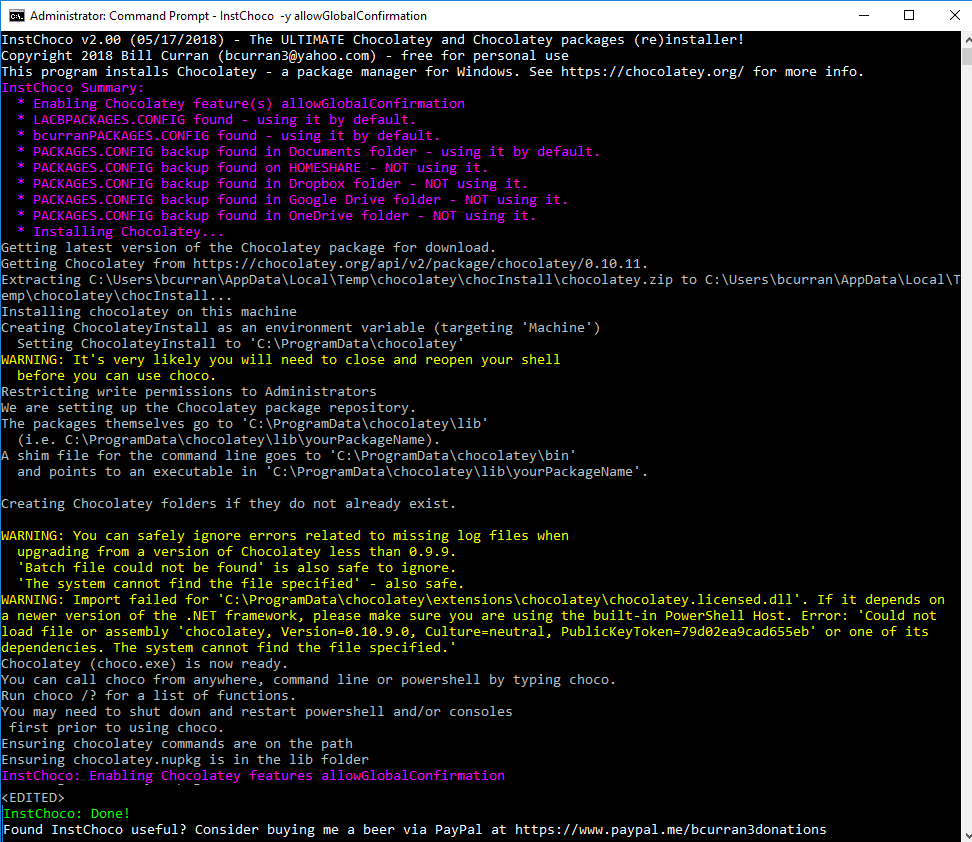
#InstChoco - The ULTIMATE Chocolatey and Chocolatey packages (re)installer!
##QUESTION: "Why do I need an installer for Chocolatey when I already have Chocolatey installed?"
##ANSWER: You need InstChoco for the NEXT time you want to install Chocolatey and automate package (re)installation!
InstChoco is the evolution of an old batch file I used over the years to automate installing Chocolatey followed by a bunch of "choco install program -y" commands to install my standard set of packages. I eventually decided to make it a program and add many additional features as well as integrate with other Chocolatey packages I've created. What you see now is the culmination of many long days of work. I think InstChoco is the best it can be, but I'm always open to new features. Feel free to contact me with feedback. You can find InstChoco.exe in \ProgramData\chocolatey\lib\instchoco\tools.
###FEATURES:
- InstChoco uses ferventcoder/Rob's "Install with cmd.exe" method for installing Chocolatey.
- InstChoco will enable up to four choco features if you pass them as parameters, i.e. allowGlobalConfirmation, failOnAutoUninstaller, allowEmptyChecksums, useRememberedArgumentsForUpgrades, etc.
- InstChoco can download a packages.config file from the Internet and install packages from that downloaded file.
- InstChoco will automatically search for a PACKAGES.CONFIG file in various locations on your computer and install packages from it if found.
- InstChoco has baked in support for Choco Package List Backup to Local and Cloud. InstChoco will use the first found PACKAGES.CONFIG in the following order: current directory, Documents folder, HOMESHARE, Box, Dropbox, Google Drive, iCloudDrive, OneDrive, ReadyCLOUD, Nextcloud, Resilio Sync, Seafile, or Tonido Sync.
- InstChoco has baked in support for Choco Persistent Packages. InstChoco will use PERSISTANTPACKAGES.CONFIG and install packages from it if found.
- InstChoco has a baked in mini version of Choco Package List Backup to Local and Cloud to backup a list of your installed Chocolatey packages.
- InstChoco has baked in support for Windows Active Directory domains. InstChoco will use various PACKAGES.CONFIG files based on domain and user account to install packages from them if found. Now you can easily standardize your organization with base Chocolatey package installs.
###SPECIAL FEATURES FOR WINDOWS ACTIVE DIRECTORY DOMAINS:
- InstChoco will use DOMAINNAMEPACKAGES.CONFIG and install packages from it if found. This allows Windows AD domain joined computers to have a commonly installed base setup of Chocolatey packages across all organizational computers. To use this feature, system administrators of Windows AD domains need to create a DOMAINNAMEPACKAGES.CONFIG file and put it in your logon server's NETLOGON directory; i.e. \LOGONSERVER\NETLOGON\DOMAINNAMEPACKAGES.CONFIG
- InstChoco will use USERNAMEPACKAGES.CONFIG and install packages from it if found. This allows users of Windows AD domain joined computers to have their own specific Chocolatey packages installed for them, useful for first time setup and roaming users. To use this feature, system administrators or users of Windows AD domains need to create a USERNAMEPACKAGES.CONFIG file and put it in the root of the user's HOMESHARE; i.e. \LOGONSERVER\HOMESHARE\USERNAMEPACKAGES.CONFIG
###Usage - please see Release Notes below (ran out of space).
PACKAGE NOTES
