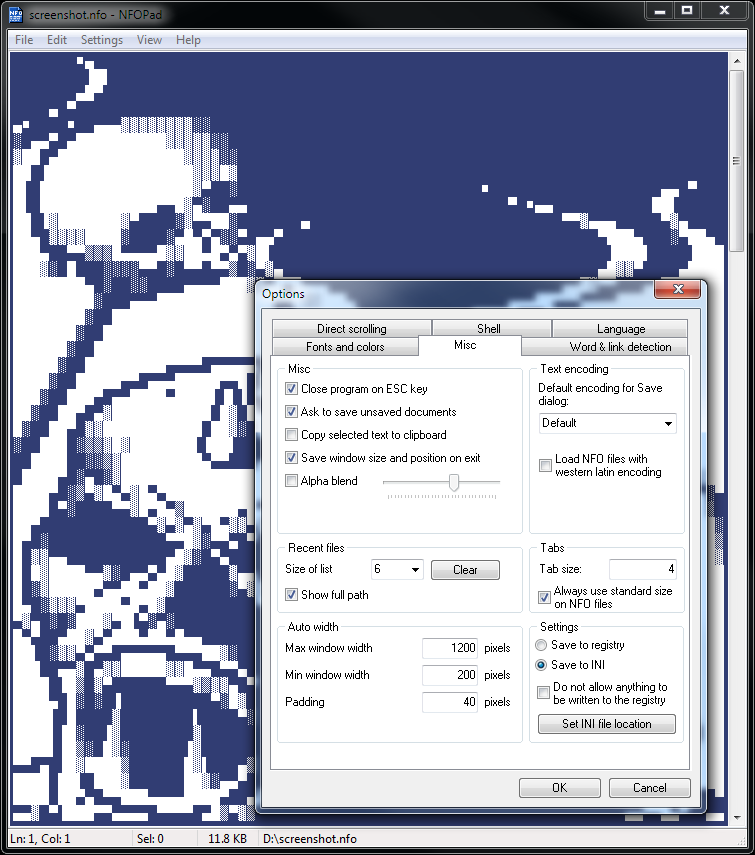
NFOPad is a small, fast and flexible combined nfo viewer and text editor. It is a clone of Microsoft's Notepad but much more customizable and with some additional features. Of course NFOPad also supports nfo files with ASCII art. The file extension is used to determine whether to use an ANSI or ASCII font. NFOPad also fully supports Unicode.
Features:
- Hyperlink and e-mail detection
- Highly customizable (fonts, colors, app. settings)
- Built in ASCII-fonts for nfo files
- Localized (Brazilian Portuguese, Chinese, English, French, German, Hungarian, Italian, Korean, Polish, Portuguese, Russian, Slovak, Spanish, Swedish, Ukrainian)
- Portable
- Unicode support
- Printing
- Searching and replacing text
- Window auto width
- Improved word selection on double click and on CTRL selecting
- Close on ESC key
- Tab width setting
- Shell integration
- Extension determines font
- File drag-n-drop
- Open next/previous file in directory of the currently open file
- Direct scrolling options
- Copy on select option
- Insert/overwrite mode
- Recently opened files list
- Go to line
- Delete line
- Alpha blend support
- Always on top option
- Word wrap option
- MS Notepad's .LOG functionality
The only difference from regular NFOPad is that an ini file is provided that defaults NFOPad to never write to the Windows registry. You can change this setting anytime you want from the Options dialog.
###Please notice
Not allowing NFOPad to write to the registry will disable some features, such as:
- Changing NFOPad's language (see below)
- Associating files from NFOPad
- Adding "TXT File" to Windows Explorer's New menu.
- Making NFOPad searchable from the Start menu without adding a shortcut
###Changing NFOPad's language without writing to the registry
NFOPad will default to use the language of the country selected in Windows. If you want to use a different language go to the installation directory of NFOPad and rename the language files so the desired one is loaded.
PACKAGE NOTES
