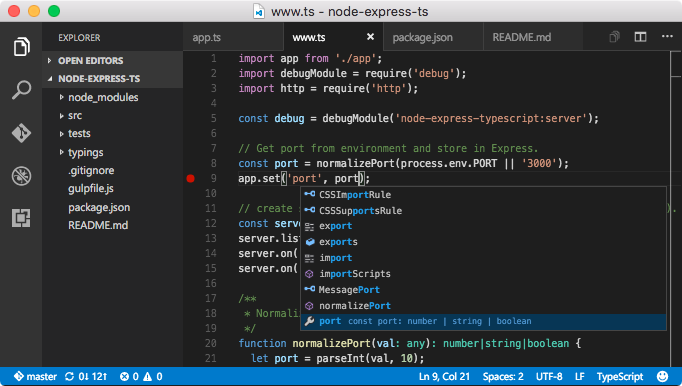
Build and debug modern web and cloud applications. Code is free and available on your favorite platform - Linux, Mac OSX, and Windows.
Features
- Meet IntelliSense: Go beyond syntax highlighting and autocomplete with IntelliSense, which provides smart completions based on variable types, function definitions, and imported modules.
- Print statement debugging is a thing of the past: Debug code right from the editor. Launch or attach to your running apps and debug with break points, call stacks, and an interactive console.
- Git commands built-in: Working with Git has never been easier. Review diffs, stage files, and make commits right from the editor. Push and pull from any hosted Git service.
- Extensible and customizable: Want even more features? Install extensions to add new languages, themes, debuggers, and to connect to additional services. Extensions run in separate processes, ensuring they won't slow down your editor.
Package parameters
/NoDesktopIcon - Don't add a desktop icon./NoQuicklaunchIcon - Don't add an icon to the QuickLaunch area./NoContextMenuFiles - Don't add an Open with Code entry to the context menu for files./NoContextMenuFolders - Dont't add an Open with Code entry to the context menu for folders./DontAddToPath - Don't add Visual Studio Code to the system PATH.
Example: choco install vscode --params "/NoDesktopIcon /DontAddToPath"
Notes