Firewall App Blocker 1.6

In Windows, you can use Windows Firewall to block or unblock certain applications, but it doesn’t offer an easy-to-use interface for its advanced features. If you want to block an application from accessing the internet, you must go through the following steps:
- Click the Windows Start Menu and open Control Panel
- Select System and Security
- Then in the Firewall section, you select “Allow a program through the Windows Firewall”
- If the program you wish to block or unblock isn’t listed, you must click “Allow another program” to add it. Choose the application in the list and select “Add”. Else you must then browse the hard drive to find it, and so on. This seems complicated for the average user.
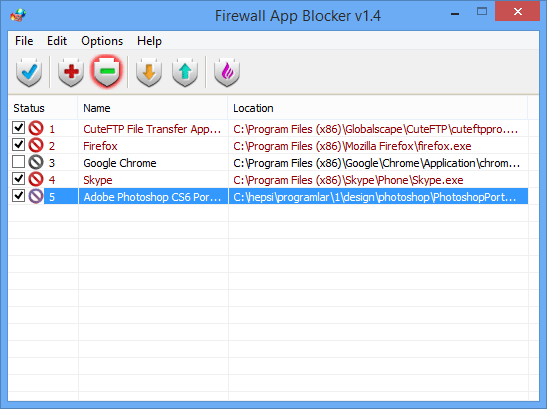
Firewall App Blocker makes the process very easy! Simply drag and drop the application you wish to block into the FAB window, or browse the hard disk to find it. That’s it! If you want to allow it access again, you need only select it and press the Delete button.
Downloads number: 1 141
Size: 1.17 MB
Update Date: 28.01.2019
Distribution Scheme: free of charge software
Operation Systems: Windows 7 x64, Windows 8 x64,
Windows 8.1 x64, Windows 10 x64, Windows 11 x64
Windows 8.1 x64, Windows 10 x64, Windows 11 x64